

🧪LAB REPORT #5 — Gain Staging for Clarity
Your mix can’t breathe if your gain structure is choking it. Learn how proper gain staging creates clarity, punch, and headroom at every step of your signal chain.


LAB REPORT #5 — Gain Staging for Clarity
Gain Staging for Clarity — The Unsung Hero of Every Great Mix
Subtitle: Your mix can’t breathe if your gain structure is choking it. Learn how proper gain staging creates clarity, punch, and headroom at every step of your signal chain.
🧠 What Is Gain Staging (and Why It Matters More Than You Think)
Before saturation, EQ, or compression — there’s gain staging. Think of it as signal hygiene. It’s the process of controlling levels at every stage of your mix to ensure that no single point in your signal chain is too hot (clipping) or too low (noisy).
Whether you’re mixing inside an MPC, DAW, or hybrid setup, proper gain staging keeps your tone consistent, your plugins performing at their best, and your final mix free from distortion or unwanted crunch.
Gain staging = signal hygiene. It’s the act of controlling level at each point in your chain so nothing clips or sits too low. Nail this, and EQs, compressors, and saturators behave predictably. Skip it, and your mix fights itself.


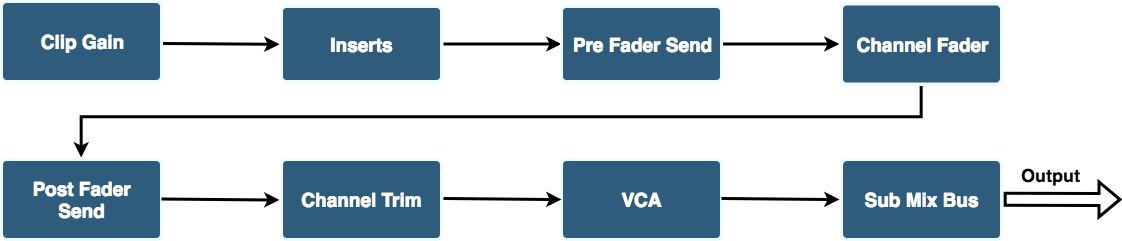
🎚️ Step-by-Step: How to Properly Gain Stage Your Mix
1. Start at the Source
Every great mix starts with well-recorded or well-chosen sounds. Normalize or trim samples so they peak around -12 to -6 dBFS before processing. This leaves enough headroom for dynamics and effects while giving a good signal to noise ratio.
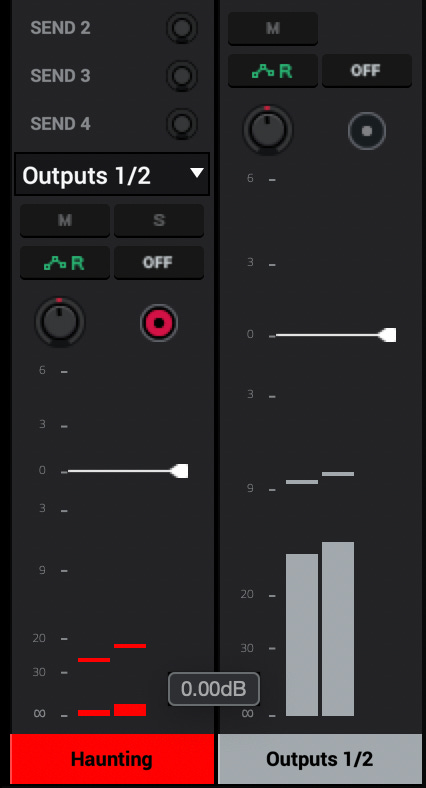
2. Level Before Processing
Avoid using compressors or saturators just to increase loudness — use channel gain trims or utility plugins instead. Once each sound is balanced in volume, then reach for tone-shaping tools.
Use a trim/gain utility at the start of chains.
Don’t fix levels with compressor output — set the correct input first.
Tip: normalize raw takes to a sensible peak before editing.
3. Check Plugin Input/Output
Every plugin reacts differently to input level. Analog-modeled plugins (like those from AIR MusicTech or UAD) often have a “sweet spot” around -18 dBFS RMS. Matching input/output ensures you’re hearing tone, not loudness bias.
Match input to plugin sweet spot. Analog-modeled plugins often like -18 dBFS (0 VU) reference.
Use metering (RMS/VU) before and after processors to avoid loudness bias.
If a plugin sounds better because it’s louder — dial it back and compare level-matched.
4. Mind the Bus
Your mix bus should hover between -6 and -3 dBFS before mastering. If you’re clipping here, your internal gain structure is off.
As tracks sum, levels climb. Pull buses down rather than pushing master.
Target: mix bus around -6 dBFS to -3 dBFS before mastering.
Image placeholder (mid-article): Mixer view showing grouped bus levels with spare headroom.
Alt text: “DAW mixer showing multiple busses with consistent headroom below clipping.”
🧩 How Gain Staging Impacts Clarity
Proper gain staging:
Prevents internal digital clipping
Keeps your compression and saturation behaving musically
Reduces harshness and over-compression
Improves headroom for mastering
In short, it gives your mix that effortless air and punch that polished tracks have.
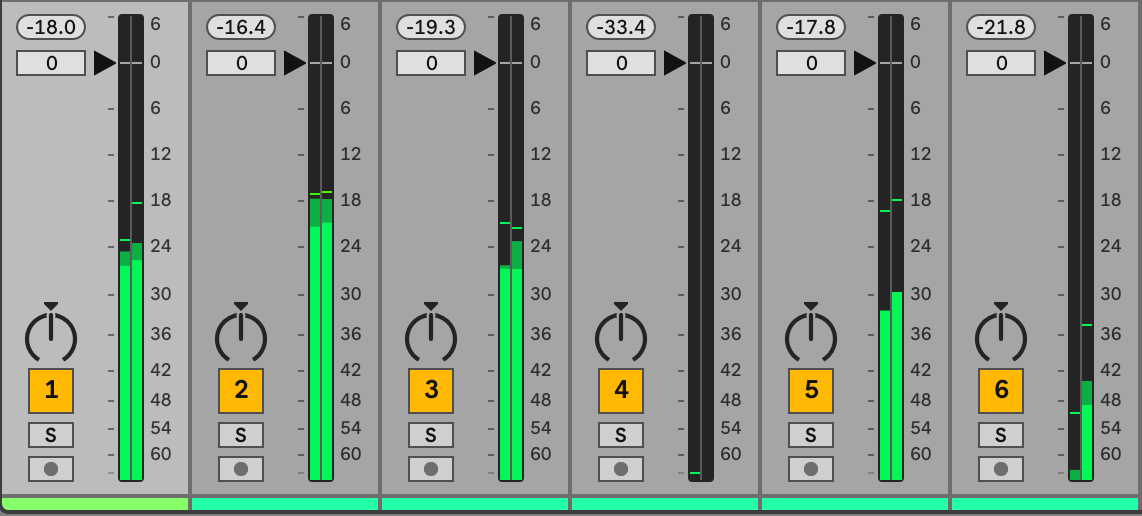
🎚️Step 5 — Use the Fader for Balance, Not Fixes
Faders set musical balance; trims set technical balance.
If you need a fader slammed high, re-trim that channel first.
🎛️ Practical Gain Staging Workflow (Inside MPC or DAW)
Trim your pads/tracks: Bring all your pads or tracks down to -12dB before mixing.
Use VU or RMS meters: Don’t rely only on peak meters — check perceived loudness.
Group and listen: Once drums, instruments, and vocals are grouped, rebalance the busses for clarity.
Mix with your faders, not your limiters.
Common Gain Staging Mistakes
Relying on plugin output to “fix” sloppy input.
Ignoring RMS / VU in favor of peak meters only.
Summing without checking bus levels until clipping occurs.
Pro Workflow Checklist (quick)
Record / import with target peaks -12 to -6 dBFS.
Insert trim at start of chain; set plugin sweet spots.
Group & rebalance busses, keep master < -3 dBFS.
Compare before/after processing level-matched.
Mix Feedback
Think your gain staging is solid? Submit your track to the Mix Feedback Hub and I’ll check headroom, balance, and how your dynamics are behaving.

Final thought: Clean signal flow = clean emotion. Get your gain staging right and everything else gets easier.